


If you missed Part 1, start here: Part 1 covered intent data as a product, plus the three-layer model and change control.
If you missed Part 2, read this next: Part 2 introduced the AI Quality Loop, a weekly operating cadence to capture AI failures, classify them into six failure types, ship small fixes, and track drift with a minimum metrics set.
Support teams already have enough jobs. Answer questions. De-escalate angry people. Document work. Follow policy. Keep up with product changes.
“Prompt engineer” should not become job number five.
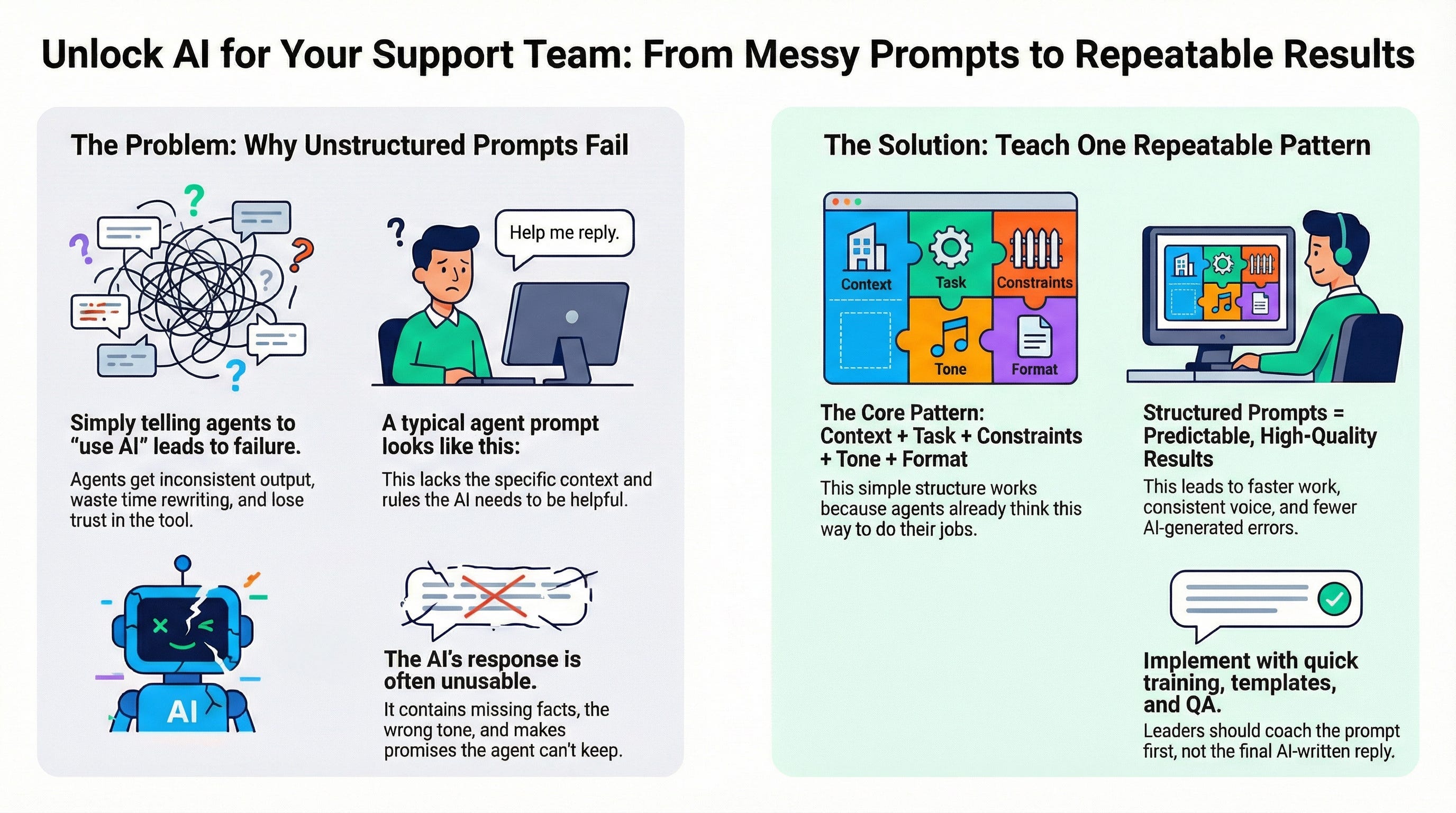
Most AI rollouts fail for one boring reason. Leaders hand agents a text box and say “use AI.” Agents then get inconsistent output, waste time rewriting, and stop trusting the tool.
The fix looks simple. Teach patterns. Not theory.
The goal
Standard prompts produce standard output.
Give every agent a small set of prompt habits that produce clean, repeatable output.
If your agents follow the same prompt pattern, you get four outcomes:
Faster work, less rewriting
More consistent voice and policy alignment
Fewer hallucination-shaped messes
Easier coaching and QA
Why agents struggle with prompting
Agents do not struggle because agents lack skill. Agents struggle because AI needs structure.
A typical agent prompt looks like this:
“Help me reply.”
AI responds with:
Missing key facts
Wrong policy tone
Extra promises
Weird formatting
Long answers when a short answer was needed
Agents then rewrite the reply, lose the time savings, and lose trust.
Teach one prompt pattern
Use one pattern across your team:
Context + Task + Constraints + Tone + Format
Context
What happened. Who the user is. What channel. What stage of the process.
Task
One clear action. Draft reply. Summarize call. Extract fields. Translate message.
Constraints
Hard rules. No promises. No policy interpretation. No refunds language. No mention of internal tools. Cite source article name. Ask one question max.
Tone
Friendly. Direct. Calm. No blame. No fluff.
Format
Bullets. Short paragraphs. Table. JSON. One sentence plus next step.
This pattern works because agents already think this way. Agents collect context, decide the next action, follow rules, and match tone. AI needs the same inputs, written down.
How to teach the pattern without boring everyone to death
Run a 30 minute training. Then reinforce with small reps.
Training plan
10 minutes: show two examples, bad prompt vs structured prompt
10 minutes: live practice with one real interaction from the queue
10 minutes: each agent saves one personal template in a notes app
Reinforcement
Add the pattern to a macro, sidebar note, or internal KB page
In QA, score the prompt structure once per week per agent
In coaching, fix prompts before fixing writing
Leaders always try to coach the final reply first. Coach the prompt first. Better prompt, better output, less rewrite.
A prompt “card” your team can copy
Paste this template into your internal doc, KB, or onboarding guide.
Context:
Channel:
Customer type:
Issue summary:
Key facts:
What already happened:
Task:
Do this one thing:
Constraints:
Do not:
Must include:
Must avoid:
Tone:
Voice:
Reading level:
Format:
Output format:
Length:
Example, summarize a call for a ticket log
Context:
Channel: Phone
Customer type: Parent
Issue summary: Login blocked after email change
Key facts: Customer has access to phone, no access to old email
What already happened: Password reset tried, failed
Task:
Summarize the call for the ticket log
Constraints:
No promises
No policy interpretation
Include next step
Tone:
Neutral and factual
Format:
3 bullets
One final line: “Next step: …”
Prompt Playbook, 7 patterns that work in production
Leaders love “best practices.” Agents need reusable prompts.
Pattern 1: Call or chat summary for the ticket log
Use when: any live interaction needs a clean record.
Template
Context: [paste transcript or key notes]
Task: Summarize for the ticket log
Constraints: No promises. No opinions. No policy statements.
Tone: Neutral.
Format:
3 bullets for what the customer said
2 bullets for what the agent did
One line for next step
Pattern 2: Draft a reply, strict and safe
Use when: email or chat reply needs clarity without risk.
Template
Context:
Customer message: [paste]
Outcome goal: [what success looks like]
Task: Draft a reply
Constraints:No promises
No timelines unless stated in policy text below
Ask one question max
Do not mention internal tools
Tone: Calm, respectful, direct
Format: 2 short paragraphs, then a short next step line
Pattern 3: Translate for the customer, preserve meaning
Use when: bilingual support or translation checks.
Template
Context: [paste message]
Task: Translate to [language]
Constraints:
Keep meaning, keep intent
Keep names, numbers, dates unchanged
Keep policy language cautious
Tone: Match original tone
Format: Plain text, no added commentary
Pattern 4: Explain in plain language
Use when: policy or process needs a human explanation.
Template
Context: [paste policy excerpt or process notes]
Task: Explain to a customer in plain language
Constraints:
No legal tone
No new rules
No extra steps
Tone: Friendly and clear
Format:3 bullets for key points
One short next step
Pattern 5: Extract structured fields from messy text
Use when: you need data for forms, tags, routing, or handoffs.
Template
Context: [paste message or transcript]
Task: Extract fields
Constraints: Use “unknown” if missing. Do not guess.
Format:
Customer type:
State or program:
Issue category:
Product area:
Urgency:
Requested action:
Missing info needed:
Pattern 6: Find the right internal article, then draft the reply
Use when: agents need fast KB matching without wrong answers.
Template
Context: [paste customer message]
Task: Suggest the best internal article title from this list: [paste list of titles]
Constraints: Do not answer the customer yet. Only pick the best match and explain why in one sentence.
Format:
Best article:
Why:
Second choice:
Step 2, draft the reply using only the excerpt.
Then a second prompt after the article is chosen
Context: Customer message: [paste]
Reference: Article excerpt: [paste relevant section]
Task: Draft reply using only the excerpt
Constraints: Do not add steps not in excerpt.
Tone: Calm, helpful
Format: 2 paragraphs, one next step line
Pattern 7: Rewrite for tone and brevity
Use when: agent already wrote the content, needs a cleaner version.
Template
Context: Draft reply: [paste]
Task: Rewrite for clarity and brevity
Constraints:
Keep meaning
Keep commitments unchanged
Remove filler
Tone: Professional, warm
Format: Max 120 words
How leaders operationalize the playbook
Make the playbook show up where work happens.
A prompt playbook that lives in a doc dies in a doc.
Pin templates in the agent workspace sidebar
Add two macros called “AI Prompt, Summary” and “AI Prompt, Draft Reply”
Add templates to onboarding checklists
Add one QA field: “Prompt structure used, yes or no”
Then measure adoption in a way agents respect.
Percent of interactions where a playbook prompt was used
Average rewrite time after AI output, tracked via QA sampling
Reopen rate on AI-assisted replies, compared to agent-only replies
Common failure modes to coach fast
Failure mode: Missing constraints
Symptom: AI writes promises, adds steps, invents policy details
Coaching: Add constraints first, then rerun
Failure mode: Two tasks in one prompt
Symptom: AI mixes summary, reply, and policy guidance
Coaching: Split tasks, one prompt per output
Failure mode: No format rules
Symptom: long walls of text, no skimmable structure
Coaching: force format, then force length
Failure mode: Agent pastes PII or sensitive data
Symptom: tool risk, privacy risk
Coaching: replace with placeholders, use last four digits, remove documents, remove full addresses
A practical rule for your team
If the work product becomes part of the official record, force structure.
Ticket logs, customer replies, escalation notes, internal handoffs. Every one of those needs predictable output.
Teach prompting like a safety habit. Not like a skill flex.
Next in the series
Part 4 will cover risk, privacy, and hallucinations. The goal will be simple. Teach agents where AI fails, and what verification looks like in daily work